


Choose for how your work actually flows
Project tools fail for organisational reasons far more often than functional ones. Almost every tool can hold tasks with owners and dates. The difference is which working style each one assumes.
| Tool | Assumes | Best for | Watch out for |
|---|---|---|---|
| Linear | Fast, opinionated engineering workflow | Software teams | Deliberately narrow; poor fit for non-engineering work |
| Jira | Configurable, process-heavy delivery | Engineering at scale, regulated delivery | Complexity accretes; needs an owner |
| Asana | Cross-functional task and project ownership | Marketing, operations, mixed teams | Weaker for engineering specifics |
| Monday.com | Visual, highly customisable boards | Operations, agencies, client work | Customisation sprawl |
| ClickUp | Everything in one place | Teams wanting a single tool | Feature density hurts adoption |
| Notion | Documents and light project tracking together | Small teams, knowledge-heavy work | Weak at genuine dependency management |
| Basecamp | Calm, opinionated, low-ceremony | Small teams tired of process | Deliberately limited |
| Trello | Simple kanban | Small, simple workflows | Outgrown quickly |
What actually matters for distributed teams
The distributed-specific requirements are not the ones vendors market:
- Asynchronous status without meetings. The tool must make "what is happening" answerable without a call. If people still need a status meeting, the tool is not doing its job.
- Written context in the task. Decisions, reasoning and links to documents, not just a title and an assignee. Co-located teams fill the gaps by talking; distributed teams cannot.
- Notification discipline. Across time zones, poorly-tuned notifications either overwhelm people or get muted entirely. Both are failures.
- Time zone awareness in due dates and scheduling.
- Genuinely good search. Finding the decision from three months ago is a daily need in distributed work.
The rule that matters more than the tool
One tool, one source of truth. The most common failure in distributed teams is work tracked in three places — a project tool, a spreadsheet, and a chat thread — with none authoritative. That is worse than any single tool choice, and it is an organisational discipline problem, not a software problem.
If you take one thing: pick the tool your team will actually keep updated, and then enforce that work not in it does not exist.
Practical selection advice
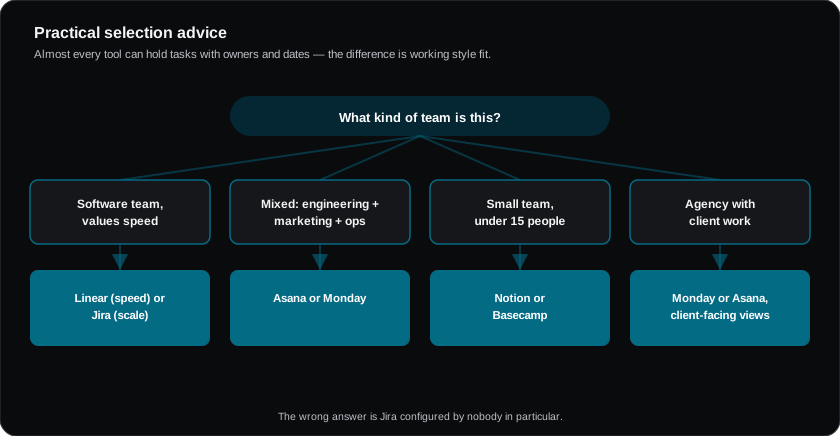
For a software team: Linear if you value speed and opinion; Jira if you need configurability, compliance traceability or scale. Both are defensible; the wrong answer is Jira configured by nobody in particular.
For a mixed team (engineering plus marketing plus ops): Asana or Monday, with engineering possibly keeping a specialist tool and syncing at the epic level. Forcing engineers into a generalist tool tends to fail.
For a small team under fifteen people: Notion or Basecamp. The overhead of a heavier tool exceeds its benefit at that size.
For agencies with client work: Monday or Asana, with attention to client-facing views, time tracking and profitability reporting.
Rollout that sticks
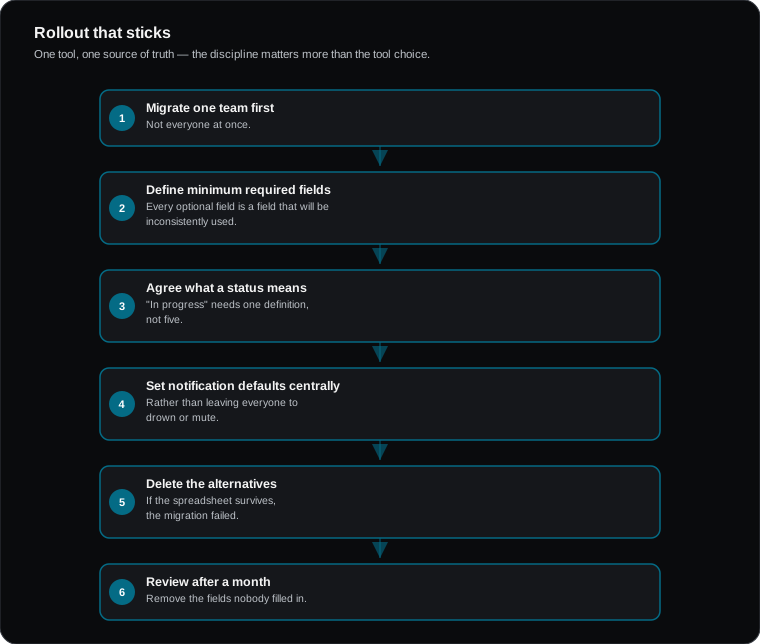
- Migrate one team first, not everyone at once
- Define the minimum required fields — every optional field is a field that will be inconsistently used
- Agree what a status means. "In progress" needs one definition, not five
- Set notification defaults centrally rather than leaving everyone to drown or mute
- Delete the alternatives. If the spreadsheet survives, the migration failed
- Review after a month and remove the fields nobody filled in
On AI features
Every one of these tools now ships AI summarisation and task generation. It is genuinely useful for status roll-ups and reducing update meetings, and it is not a reason to switch tools. Choose on workflow fit; treat AI as a bonus.
Frequently asked questions
How many project tools should we have?
One primary. A specialist engineering tool alongside a general one is a defensible second, with a clear rule about which is authoritative for what.
What if the team resists?
Usually a signal the tool adds more admin than it returns in clarity. Reduce required fields aggressively before concluding people are the problem.
Do we need time tracking?
Only if you bill by time or genuinely need utilisation data. Otherwise it adds friction and is widely resented.